Fix Prompts Are the Missing Layer Between Monitoring and Repair
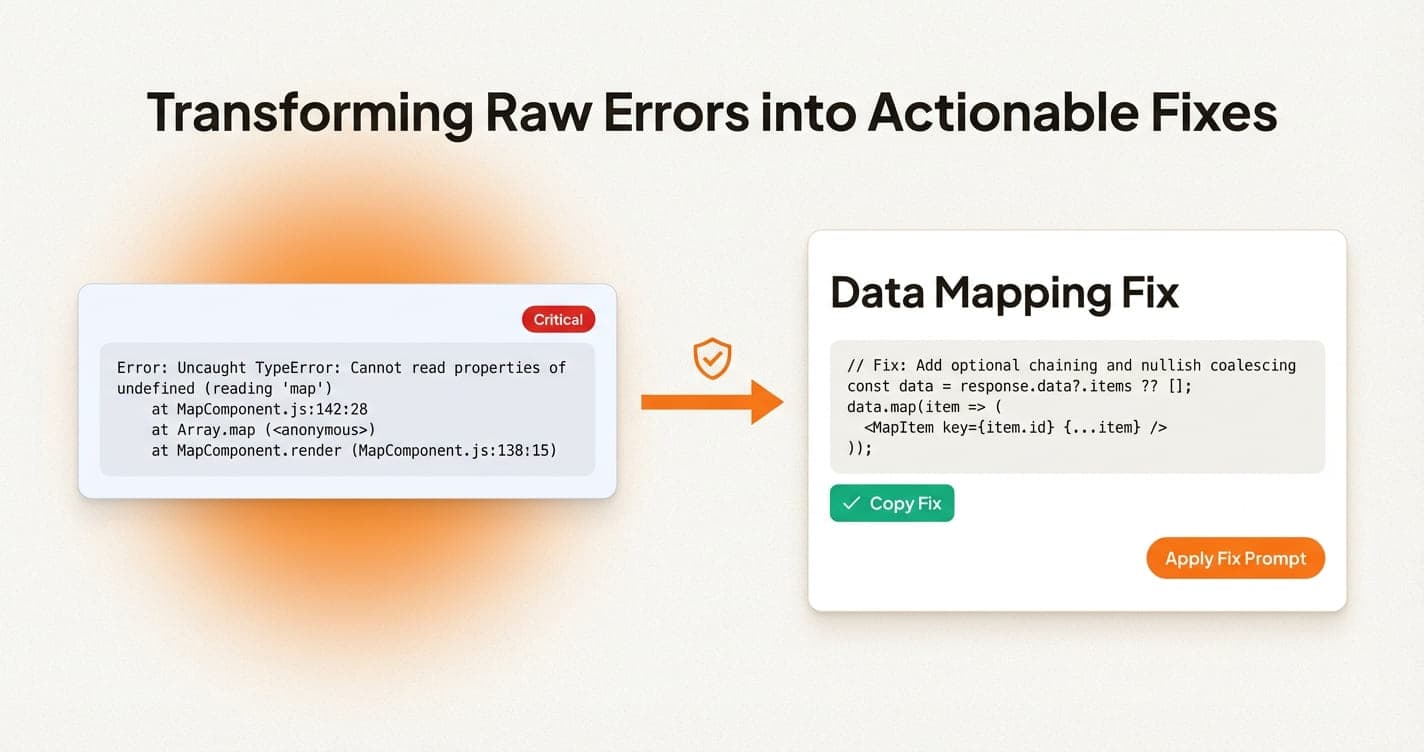
AI-built apps move faster when the monitoring product does not stop at detection. The next step should already be shaped into a usable fix prompt.
On this page
Modern teams increasingly debug with an AI editor open. The monitoring workflow should acknowledge that reality instead of pretending every user wants to hand-author a patch from scratch.
When an issue page ends with a stack trace, the user still has to translate it into context for Cursor, Windsurf, Claude Code, or whatever tool they ship with.
Most monitoring products stop too early. They detect the incident, maybe group it, and then hand the user a pile of context to manually turn into a repair request.
Why the raw stack trace is not enough
Modern teams increasingly debug with an AI editor open. The monitoring workflow should acknowledge that reality instead of pretending every user wants to hand-author a patch from scratch. The stack trace is still valuable, but it is evidence. It should not be the whole user experience of the monitoring product.
A small team needs the meaning of the failure before it needs the full raw data. Once the summary is clear, the deeper evidence becomes dramatically easier to use.
What a strong debugging loop needs
What teams miss when they jump straight to a patch
The fastest-looking move is often to ask an AI tool for a fix before the incident is framed well. That usually creates a wider patch than you wanted, because the model has to infer boundaries you never stated.
Good monitoring lowers that risk by packaging the important context before the prompt is written. The product should already know what behavior broke, which runtime matters, and what must stay intact.
Build the repair workflow around clarity
A better product carries the debugging flow through to a fix-ready prompt that already names the runtime, route, failure mode, and likely patch direction.
That means the issue page should already name the route, the runtime, the likely cause, and the behavior to preserve. The AI tool then becomes a force multiplier instead of a blind guess generator.
A practical fix-prompt workflow
Capture the issue with enough evidence
Keep the plain-English summary, runtime, route, and the most important raw evidence together in the issue detail view.
Translate the issue into a bounded prompt
Tell the AI tool what broke, where it likely lives, what must stay unchanged, and what kind of patch you expect back.
import { init } from "@vybesec/sdk"

init({ key: process.env.NEXT_PUBLIC_VYBESEC_KEY, platform: "web" })

setTimeout(() => {
  throw new Error("Deliberate test issue")
}, 500)Review the patch against the original product intent
Use the generated patch as a starting point, then validate the regression risk, existing layout, and API contracts before shipping it.
What the final workflow should feel like
A good debugging loop feels narrow. The issue arrives already grouped. The summary is understandable. The prompt is ready to use. The review burden stays with the team, but the setup burden drops sharply.
That is the right use of AI inside monitoring: fewer blank pages, fewer vague repair requests, and fewer incidents that start over from zero every time they recur.
Issue-to-fix checklist
- ✓Describe the failure in plain language first.
- ✓Include the route or file most likely involved.
- ✓Mention the runtime and framework.
- ✓Preserve the affected-user or replay context.
- ✓Keep the prompt narrow enough to produce a usable patch.
Common questions
Where VybeSec fits
VybeSec pushes the monitoring workflow beyond detection. The issue is summarized in plain English, the context stays attached, and the fix path can move directly into a bounded prompt for the tools modern teams already ship with.
That is how monitoring becomes part of the build loop instead of a separate forensic exercise.
Want access to the workflow as it ships?
Join the waitlist if you want issue summaries, fix prompts, and debugging flows designed for AI-assisted teams.
Stay close
Want practical setup playbooks like this?
We publish implementation guides for client and server monitoring, alerting, and fix workflows you can ship quickly.
Related posts